

Excel file translation built for multi-sheet workbooks
DeepL translates entire spreadsheets, including every sheet and sheet name, while preserving formatting, formulas, and data structure. Upload a file, choose your target language, and download a ready-to-use translation in minutes. And with DeepL Pro, you can translate in bulk into multiple languages at once.
Trusted by over 200,000 businesses globally






Why translate Excel files with DeepL?
Excel translation comes with its own unique challenge: Spreadsheets pack more structure into less visible text than any other format. Here's how DeepL takes care of it.
Nuanced, context-aware translation
DeepL's file translator captures meaning across larger sections of text, not just word-for-word. Translations hold up, whether the text is business terminology, data labels, or long, running prose.

Full workbooks translated in seconds
Translate entire spreadsheets in seconds, even those with multiple sheets and large datasets. Translate files in bulk, generate multi-language versions simultaneously, and translate directly from your computer or the cloud.

Your structure kept intact
DeepL translates every sheet in a multi-sheet workbook, including sheet names, while keeping your layout, formulas, and data structure in place.

Innate enterprise-grade security
DeepL complies with GDPR, ISO 27001, SOC 2 Type II, HIPAA, and BSI C5 Type 2. Data is encrypted in transit and at rest, and, on Pro plans, DeepL deletes your data immediately after translation. No third parties access your data. Read about how DeepL protects your data

Commitment to quality
Formulas and text embedded in images aren't translated. DeepL AI translates the visible text and values in your spreadsheet. If your data lives primarily in formulas or embedded images, factor that in before translating.
How do I translate Excel files with DeepL?
Re-entering translated text into a spreadsheet, cell by cell, sheet by sheet, is a time drain. DeepL translates the whole workbook in one go, keeping formulas and structure intact. Visit the web translator, and take these steps:
- Log into your DeepL Pro account
- Go to the "Translate files" tab
- Drag and drop your Excel file, or select from your computer or the cloud
- Choose your target language; DeepL automatically detects the source language
- Apply a glossary or other Customization Hub options to fine-tune results
- Start your translation
- Download your translated Excel file
You need a Pro plan or API plan to translate Excel files.
Visit the Support Center to learn more about Excel file translation.
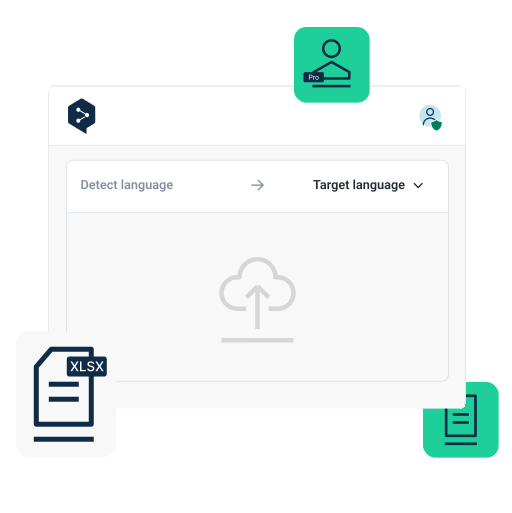
How DeepL Pro powers your Excel translations
To translate Excel files, you’ll need a DeepL Pro subscription. Here's what's included on a paid plan:
- Upload files or select from the cloud
- Translate multiple files and into multiple target languages at once
- Utilize the Customization Hub to get precise, on-brand translations
- Benefit from maximum data security

Translate consistently across media formats
Need to translate PDFs, images, and other file types? DeepL’s Language AI adapts visual content to match, so your translations stay consistent and correctly formatted no matter which file you're working with.

200,000 companies around the world that trust DeepL for their translation demands.
Ready to translate Excel files?
Start your free 30-day DeepL Pro trial and translate Excel spreadsheets, as well as Word, PDF, PowerPoint, and many more file types.
Standardizing reports or financial data across markets? Talk to our Sales team about file translation tailored to enterprise demands.

FAQs
No. Excel translation requires a DeepL Pro Advanced, Ultimate, Team, or Business plan, or an API Free or API Pro plan. It isn't included on the free account, Pro Starter, or Pro Individual. Learn about the file translation features DeepL Pro offers.
Yes. If your file has multiple sheets, DeepL translates all of them, sheet names included. However, DeepL Excel document translation can’t translate formulas and text embedded in images.
Yes. Enable a glossary before translation and your company terminology and industry jargon will be kept consistent, use translation memories to help DeepL learn from previous translations, or enforce your house style with style rules. Check out the DeepL Customization Hub for more ways to keep your documents consistent.
Yes. Every .pptx, .docx, .doc, .xlsx, and .pdf file is billed a minimum of 50,000 characters on API plans, regardless of length. Read DeepL’s API documentation.
Excel file size and character limits by plan
Excel translation is available starting with DeepL Pro Advanced. It isn't included on the free account, Pro Starter, or Pro Individual plans. This table shows the maximum file size and character count allowed per file on each plan. View limits per plan for all document translation file formats.
Plan | Max file size | Max characters |
DeepL Account (Free) | Not available | Not available |
DeepL Pro Starter | Not available | Not available |
DeepL Pro Advanced | 20 MB | 1,000,000 |
DeepL Pro Ultimate | 30 MB | 1,000,000 |
DeepL Pro Individual | Not available | Not available |
DeepL Pro Team | 20 MB | 1,000,000 |
DeepL Pro Business | 30 MB | 1,000,000 |
DeepL API Free | 10 MB | 500,000 |
DeepL API Pro | 30 MB | 1,000,000 |
DeepL API Developer | 10 MB | 500,000 |
DeepL API Growth | 30 MB | 1,000,000 |